Widgets
Widget classes you construct once and render with .ui(...) from inside @app.ui. See the Widgets concept page for the contract and the widget gallery for a visual index of all of them on one page.
Signal viewers
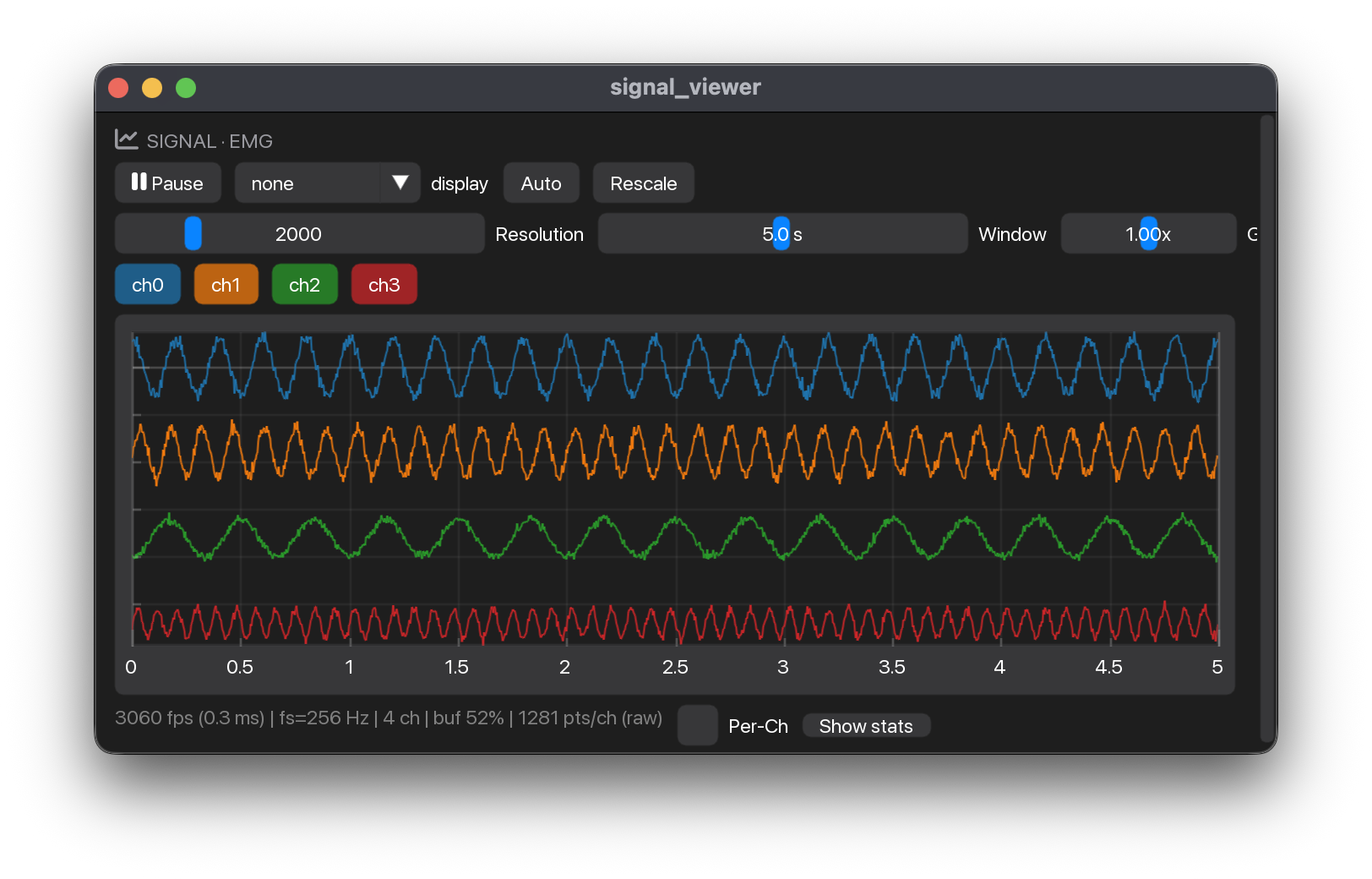
SignalViewer(stream_name: str, *, size: tuple[float, float] = (-1, -1), n_pixels: int | None = None, channel_height: float = 0.0, show_diagnostics: bool = False, show_connect: bool = True, selectable: bool = False, scale_mode: str = 'auto', y_range: tuple[float, float] = (-1.0, 1.0), show_markers: bool = False, window_s: float = 5.0, initial_channels: Iterable[int] | None = None, widget_id: str | None = None, title: str | None = None, show_controls: bool = True, show_title: bool = True, channel_scope: Iterable[int] | None = None)
Real-time multi-channel signal viewer.
Construct once with the stable config, then call ui with the
live ctx each frame. Includes decimation, pause, auto/manual Y
scale, visual-only display filters, channel toggles, stats, stream
retargeting, and label markers.
Parameters:
| Name | Type | Description | Default |
|---|---|---|---|
stream_name
|
str
|
The stable widget ID / stream to view. When |
required |
widget_id
|
str | None
|
Explicit state / ImGui id scope. Defaults to |
None
|
channel_scope
|
Iterable[int] | None
|
The columns this viewer may ever show — a hard restriction, unlike
|
None
|
title
|
str | None
|
Panel header text. Defaults to |
None
|
show_connect
|
bool
|
Offer a Connect button in the empty state while the stream is detached.
Turn it off in an app where another widget owns connecting — a
Left on by default: an app that is just |
True
|
show_controls
|
bool
|
Whether the panel's chrome — control menu, channel bar and footer —
starts expanded (default |
True
|
show_title
|
bool
|
Whether to draw the header row at all (default |
True
|
n_pixels
|
int | None
|
Optional hard cap on the points drawn per channel. |
None
|
scale_mode
|
str
|
|
'auto'
|
window_s
|
float
|
The initial display window in seconds — the user can still drag
the slider afterwards. Defaults to 5 s. The stream's |
5.0
|
initial_channels
|
Iterable[int] | None
|
Which channels open enabled, e.g. |
None
|
Examples:
RawSignalViewer(stream_name: str, *, size: tuple[float, float] = (-1, 300), channel_height: float = 0.0, show_connect: bool = True)
Raw signal viewer — every visible sample, no decimation, bounded-copy render path.
Construct once with the stream name (+ optional size / channel height),
then call ui with the live ctx each frame.
Parameters:
| Name | Type | Description | Default |
|---|---|---|---|
stream_name
|
str
|
Stream to draw, as registered with |
required |
size
|
tuple[float, float]
|
Plot size in pixels, |
(-1, 300)
|
show_connect
|
bool
|
Offer a Connect button while the stream is detached. Turn it off in
an app where another widget owns connecting — a |
True
|
channel_height
|
float
|
Vertical spacing between channel traces, in signal units. |
0.0
|
Examples:
Device selection
DevicePicker(stream: str, *, devices: Sequence[DeviceSpec] = DEFAULT_DEVICES, show_header: bool = True, selectable: bool = False, exclude: Iterable[str] = (), widget_id: str | None = None)
Pick a device, configure it, and connect the stream to it.
Replaces StreamPanel for the one stream it names: the panel header's dot
carries the connection state, and the Connect button is what binds the
stream to hardware. Nothing connects on its own, and changing the controls
does nothing until Connect is pressed — so the plot never swaps out from
under a recording.
Parameters:
| Name | Type | Description | Default |
|---|---|---|---|
stream
|
str
|
Name of the stream to attach to, as registered with |
required |
devices
|
Sequence[DeviceSpec]
|
What the dropdown offers. Defaults to |
DEFAULT_DEVICES
|
widget_id
|
str | None
|
ImGui id scope and state key. Defaults to the stream name. Give each
instance its own when an app renders more than one: ImGui derives a
control's identity from its label plus the enclosing scope, and a
|
None
|
selectable
|
bool
|
Add a Stream row naming which stream this panel configures, chosen
from |
False
|
exclude
|
Iterable[str]
|
Stream names this panel must not offer. For a stream whose source
belongs to another widget — a |
()
|
show_header
|
bool
|
Render the standard |
True
|
Examples:
>>> from myogestic.widgets import DevicePicker, OTB_DEVICES
>>> picker = DevicePicker("emg", devices=OTB_DEVICES)
>>> picker.ui(ctx)
ui(ctx: Context) -> None
Render the picker. Call once per frame.
Everything below is drawn inside an ImGui id scope named by
widget_id. ImGui derives a control's identity from its label plus the
enclosing scope, and a Grid cell is one child window — so without this,
two of these panels in a single cell would share every control. Pushed
around the whole body rather than prefixed onto each label, because a
prefix has to be remembered at every site and this cannot be forgotten.
Describing a device
DEFAULT_DEVICES covers the shipped amplifiers. Build a DeviceSpec only for hardware the picker does not already list.
dataclass

DeviceSpec(label: str, factory: Callable[..., Any], options: Sequence[DeviceOption] = tuple(), scan: bool = False, live: Sequence[DeviceParam] = tuple(), hint: str = '', steps: Sequence[str] = tuple())
One selectable entry in a DevicePicker dropdown.
Parameters:
| Name | Type | Description | Default |
|---|---|---|---|
label
|
str
|
Shown in the dropdown, e.g. |
required |
factory
|
Callable[..., Any]
|
Builds the source when Connect is pressed — a source class, or a
|
required |
options
|
Sequence[DeviceOption]
|
The |
tuple()
|
scan
|
bool
|
|
False
|
live
|
Sequence[DeviceParam]
|
|
tuple()
|
hint
|
str
|
One line on what this device is, or how it connects. Shown behind an ⓘ button beside the dropdown rather than on the panel: it is read once, when the hardware is first wired up. No hint and no steps, no button. |
''
|
steps
|
Sequence[str]
|
The setup procedure, one instruction per entry, rendered as a numbered list under the hint. Setup is a sequence of physical acts — hold this, join that, then press Connect — and a paragraph makes the reader re-derive the order every time they come back to it. |
tuple()
|
Examples:
>>> from functools import partial
>>> from myogestic.sources.otb import MuoviSource
>>> DeviceSpec(
...     "Muovi+ — 64 ch",
...     partial(MuoviSource, plus=True),
...     (DeviceOption("emg", "Signal", {"EMG": True, "EEG": False}),),
...     hint="Join the probe's Wi-Fi network, then Connect.",
... ).label
'Muovi+ — 64 ch'
dataclass

One labelled row of choices in a DeviceSpec's configuration.
Parameters:
| Name | Type | Description | Default |
|---|---|---|---|
kwarg
|
str
|
Constructor keyword the chosen value is passed as. |
required |
label
|
str
|
Row label, spelled out in the unit the operator thinks in —
|
required |
choices
|
Mapping[str, Any]
|
|
required |
dataclass

One slider that tunes a connected source while it streams.
Where an DeviceOption is a constructor argument — fixed when Connect builds
the source — a DeviceParam writes straight to an attribute of the source
that is already running. The next chunk follows; nothing reconnects, the
plot does not reset, and a recording in progress keeps its geometry.
The source must therefore expose that attribute publicly and read it fresh each chunk. Assigning a float is atomic under the GIL, so no lock is needed between the UI thread and the acquire thread.
Parameters:
| Name | Type | Description | Default |
|---|---|---|---|
attr
|
str
|
Public attribute on the source to read and write. |
required |
label
|
str
|
Row label, spelled out in the unit the operator thinks in. |
required |
lo
|
float
|
Slider range. |
required |
hi
|
float
|
Slider range. |
required |
fmt
|
str
|
|
'%.2f'
|
Examples:
module-attribute

DEFAULT_DEVICES: tuple[DeviceSpec, ...] = (*OTB_DEVICES, LSL_DEVICE, SYNTHETIC_DEVICE)
module-attribute

OTB_DEVICES: tuple[DeviceSpec, ...] = (DeviceSpec('Muovi — 32 ch', MuoviSource, (_MUOVI_SIGNAL, _MUOVI_AUX), hint=_MUOVI_HINT, steps=_MUOVI_STEPS), DeviceSpec('Muovi+ — 64 ch', partial(MuoviSource, plus=True), (_MUOVI_SIGNAL, _MUOVI_AUX), hint=_MUOVI_HINT, steps=_MUOVI_STEPS), DeviceSpec('Sessantaquattro / +', SessantaquattroSource, (DeviceOption('nch_mode', 'Channels', {'8': 0, '16': 1, '32': 2, '64': 3}), DeviceOption('fs_mode', 'Sample rate', {'500': 0, '1000': 1, '2000': 2, '4000': 3}), DeviceOption('mode', 'Detection', _DETECTION), _SESSANTAQUATTRO_AUX), hint=_SESSANTAQUATTRO_HINT, steps=_SESSANTAQUATTRO_STEPS), DeviceSpec('Quattrocento', QuattrocentoSource, (DeviceOption('nch_mode', 'Channels', {'96': 0, '192': 1, '288': 2, '384': 3}), DeviceOption('fs_mode', 'Sample rate', {'512': 0, '2048': 1, '5120': 2, '10240': 3}), DeviceOption('detection', 'Detection', _DETECTION), _QUATTROCENTO_AUX), hint=_QUATTROCENTO_HINT, steps=_QUATTROCENTO_STEPS))
module-attribute

LSL_DEVICE = DeviceSpec('LSL stream', lambda: LSLSource(''), scan=True, hint='Any Lab Streaming Layer outlet advertised on this network.', steps=('Press Scan.', 'Pick the outlet from the list.', 'Press Connect.'))
module-attribute

SYNTHETIC_DEVICE = DeviceSpec('Synthetic (no hardware)', SyntheticSource, (DeviceOption('n_channels', 'Channels', {'8': 8, '16': 16, '32': 32, '64': 64}), DeviceOption('fs', 'Sample rate', {'512': 512.0, '1000': 1000.0, '2048': 2048.0})), live=(DeviceParam('activation', 'Activation', 0.0, 1.0), DeviceParam('direction', 'Direction', -1.0, 1.0), DeviceParam('noise', 'Noise', 0.0, 1.0), DeviceParam('hum', 'Hum', 0.0, 1.0), DeviceParam('hum_hz', 'Hum (Hz)', 50.0, 60.0, '%.0f Hz')), hint='In-process sine waves and mains hum. A test signal, not data.', steps=('Pick a channel count and sample rate.', 'Press Connect — nothing has to be plugged in.', 'Drag Activation to contract the imaginary muscle; you are the subject.', 'Direction steers that effort between the first and second half of the channels, so a two-way gesture reads differently each way.', 'Noise, Hum and Hum (Hz) retune the signal live, without a reconnect.'))
Recording and sessions
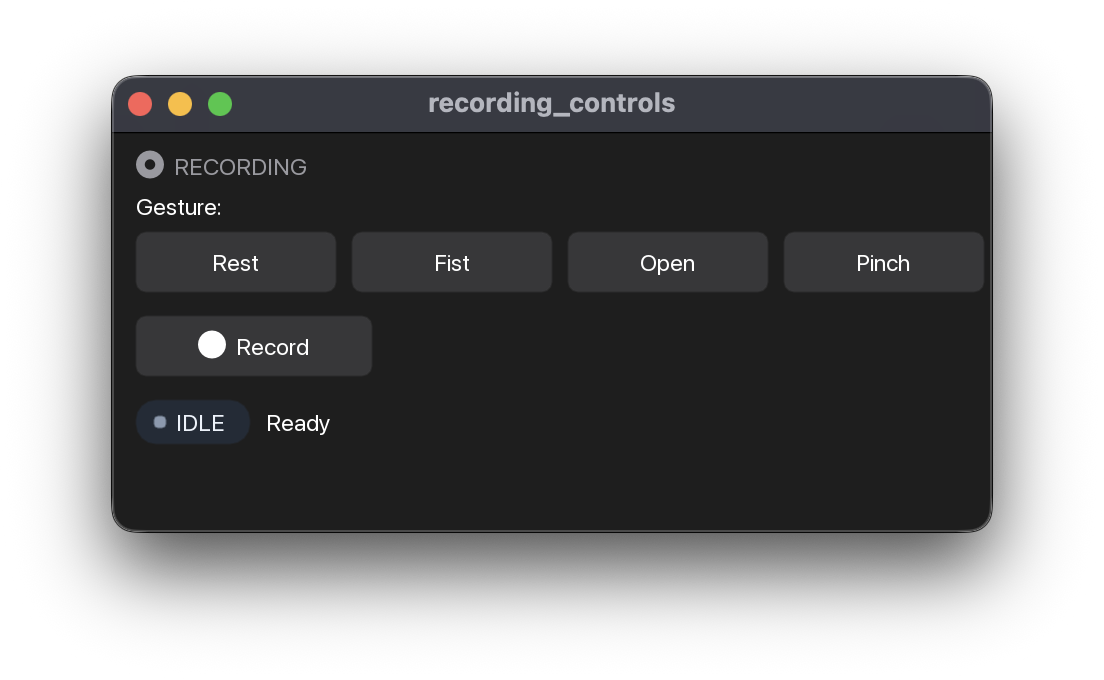
RecordingControls(class_names: list[str] | None = None, *, on_record: Callable[[], None], on_stop: Callable[[], None], on_gesture: Callable[[int], None] | None = None)
Record/Stop toggle + per-class label buttons + state pill.
Construct once with the class names and callbacks, then call ui
with the live ctx each frame. Pass app.start_recording /
app.stop_recording for on_record / on_stop if you're using
the standard App. For plain capture with no gesture protocol, use
RecordButton instead.
Parameters:
| Name | Type | Description | Default |
|---|---|---|---|
class_names
|
list[str] | None
|
One label button per name. Clicking one while recording snaps a label
event at that moment; outside a recording it sets the class the next
Record will start in. |
None
|
on_record
|
Callable[[], None]
|
Called when Record is clicked (idle → recording). |
required |
on_stop
|
Callable[[], None]
|
Called when Stop is clicked (recording → idle). |
required |
on_gesture
|
Callable[[int], None] | None
|
Optional |
None
|
Examples:
RecordButton(*, on_record: Callable[[], None], on_stop: Callable[[], None], on_discard: Callable[[], None] | None = None, show_header: bool = True, widget_id: str | None = None)
One button that records, and asks what to call the take when it stops.
The plain-recording counterpart to RecordingControls: no per-class label
buttons, no gesture protocol — press Record, press Stop, name what you just
captured. For an app whose job is collect some data, rather than one
building a labelled training set.
Capture ends the instant Stop is pressed — the streams are detached before
the dialog opens — so the seconds spent typing a name are never recorded.
The name is written to the session's meta.json and into the archive
filename, so it shows up in SessionManager and is findable on disk.
Parameters:
| Name | Type | Description | Default |
|---|---|---|---|
on_record
|
Callable[[], None]
|
Called when Record is clicked (idle → recording). Pass
|
required |
on_stop
|
Callable[[], None]
|
Called when the dialog is saved. Pass |
required |
on_discard
|
Callable[[], None] | None
|
Called when the dialog is discarded. Pass |
None
|
widget_id
|
str | None
|
ImGui id scope and state key. Defaults to |
None
|
show_header
|
bool
|
Render the standard |
True
|
Examples:
>>> from myogestic.widgets import RecordButton
>>> recorder = RecordButton(
...     on_record=app.start_recording,
...     on_stop=app.stop_recording,
...     on_discard=app.discard_recording,
... )
>>> recorder.ui(ctx)
ui(ctx: Context) -> None
Render the recorder. Call once per frame inside @app.ui.
Deliberately the same shape as DevicePicker: status dot in the header,
one full-width action, one muted detail line. Stacked in the same column
the two panels should read as one instrument, not two widgets that grew
up apart. The header icon is an archive rather than the usual record
circle — beside a status dot, a second circle reads as a second state.
Drawn inside an ImGui id scope named by widget_id, so two recorders
in one Grid cell do not share a button and a naming dialog.
StreamManager(*, on_add: Callable[[str], object], on_remove: Callable[[str], object], show_header: bool = True, widget_id: str | None = None)
The streams this app is running: add one, remove one, see their state.
For an app whose sources are not known when it is written — a second
amplifier, a force transducer on its own device — rather than one that
declares every stream up front with app.streams(...). Pair it with a
DevicePicker per stream to choose what each one is attached to.
Adding and removing are refused while a recording is running, and the panel says so: a session sizes one Zarr array per stream when recording starts, so a stream appearing afterwards has nowhere to write, and one vanishing mid-take is never finalised.
Parameters:
| Name | Type | Description | Default |
|---|---|---|---|
on_add
|
Callable[[str], object]
|
Called with a cleaned stream name when Add is pressed. Build the
|
required |
on_remove
|
Callable[[str], object]
|
Called with the stream's name when its Remove is pressed. Pass
|
required |
show_header
|
bool
|
Render the standard |
True
|
widget_id
|
str | None
|
ImGui id scope. Defaults to |
None
|
Examples:
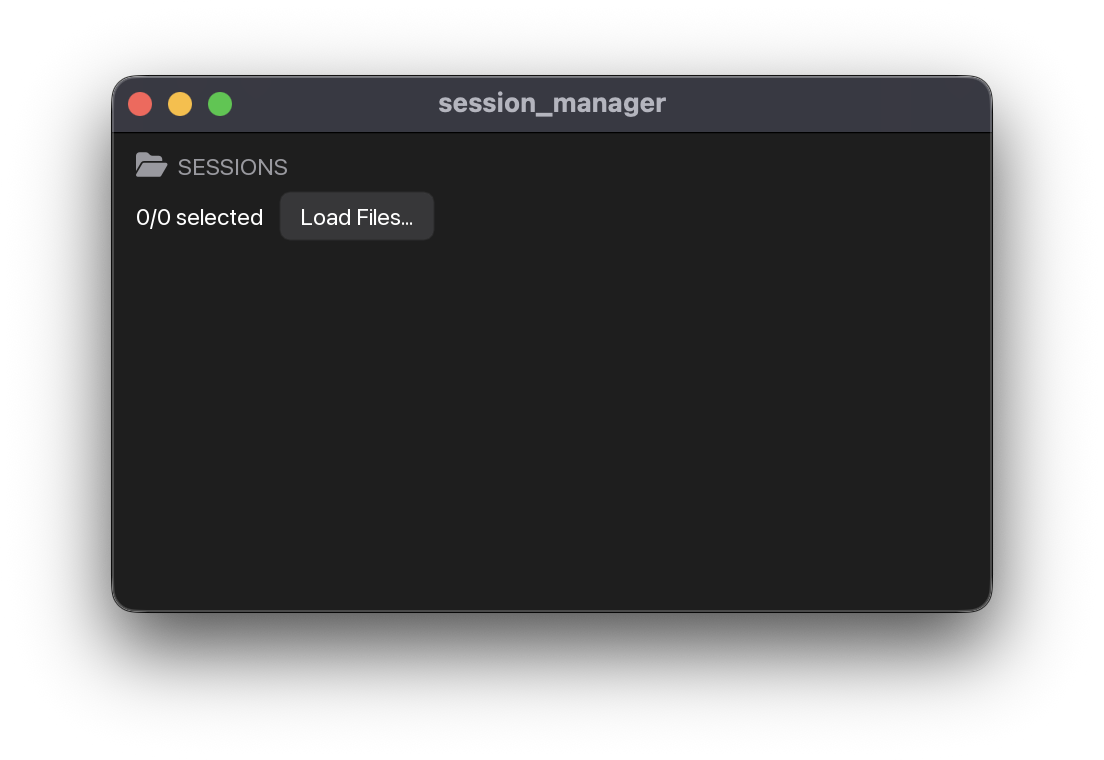
SessionManager(base_path: str = 'sessions', *, title: str = 'Sessions', class_names: list[str] | None = None)
Session picker widget. ui() returns TrainingData(paths, class_names, classes).
Construct once with the base path / title / class names, then call
ui each frame. The widget has two training filters: selected
session files and selected class indices. Assign the returned value to
pipeline.training_data to make it visible to @pipeline.train::
sessions = SessionManager("sessions", class_names=CLASSES)

@app.ui
def ui(ctx):
    pipeline.training_data = sessions.ui()
Parameters:
| Name | Type | Description | Default |
|---|---|---|---|
base_path
|
str
|
Folder scanned for |
'sessions'
|
title
|
str
|
Panel header text. Also part of the widget's ImGui id scope, so two managers over the same folder need different titles to keep separate selections. |
'Sessions'
|
class_names
|
list[str] | None
|
Human-readable names for the label class indices, used to render the
per-class filter buttons. |
None
|
Examples:
>>> from myogestic.widgets import SessionManager
>>> manager = SessionManager("sessions", class_names=["Rest", "Fist"])
>>> training_data = manager.ui()
Force tracking
See Track a force target for the whole loop, including how the transducer reaches the stream and why calibration takes two captures.
TrackingTask(stream: str = '', *, channel: int = 0, trapezoid: Trapezoid | None = None, target: TargetSource | None = None, tail_ms: float = 100.0, mvc_capture_s: float = 3.0, plot_height: float = 220.0, look_ahead_s: float = 4.0, widget_id: str | None = None)
Force-tracking task: follow a trapezoidal target on an auxiliary channel.
Pick the stream and the channel the force transducer is on, capture a resting
Calibration.zero and a maximum Calibration.mvc, shape the Trapezoid, press
Start. The target and the subject's normalised force are then drawn on one pair of
axes — x is task time in seconds, y is percent of MVC — because a following error is
only readable when both traces share a range.
The live force is the mean of the last tail_ms of the chosen channel, not one
sample: a single raw sample from a load cell is noise with a force in it.
Nothing is stored per stream. The stream name and the channel index are what the widget holds, and the index is clamped only where it is used — so an amplifier that reconnects at a different channel count does not silently rewrite the operator's choice.
Parameters:
| Name | Type | Description | Default |
|---|---|---|---|
stream
|
str
|
Stream name to start on, as registered with |
''
|
channel
|
int
|
Channel index within that stream carrying the force signal. |
0
|
trapezoid
|
Trapezoid | None
|
Initial target shape. Every segment stays editable in the panel; this is only
where it starts. Defaults to |
None
|
target
|
TargetSource | None
|
Optional |
None
|
tail_ms
|
float
|
How much of the window the live reading averages over. Long enough to be steady, short enough that the trace still follows the subject. |
100.0
|
mvc_capture_s
|
float
|
How long the MVC action watches for a peak after it is pressed. |
3.0
|
widget_id
|
str | None
|
ImGui id scope and state key. Defaults to the stream name. Give each
instance its own when an app renders more than one — two transducers in
one study is the obvious case: ImGui derives a control's identity from
its label plus the enclosing scope, and a |
None
|
look_ahead_s
|
float
|
How far past "now" the target is drawn, in seconds. The subject sees the trajectory only as far as it is about to be: a block whose ending is visible from the start is one they can plan around instead of track. |
4.0
|
plot_height
|
float
|
Plot height in pixels. |
220.0
|
Examples:
>>> from myogestic.tracking import Trapezoid
>>> from myogestic.widgets import TrackingTask
>>> task = TrackingTask("emg", channel=64, trapezoid=Trapezoid(level_pct=20.0))
>>> task.ui(ctx)
ui(ctx: Context) -> None
Render the task. Call once per frame.
Everything below is drawn inside an ImGui id scope named by
widget_id. ImGui derives a control's identity from its label plus the
enclosing scope, and a Grid cell is one child window — so without this,
two of these panels in a single cell would share every control. Pushed
around the whole body rather than prefixed onto each label, because a
prefix has to be remembered at every site and this cannot be forgotten.
Task trajectories
What a subject is asked to follow. myogestic.tracking is plain data — no ImGui, nothing that talks to a device — so the same trajectory can be evaluated in a test, in an offline script and by whatever draws it, with no second implementation to drift. TrackingTask forwards every edit to the TargetSource it was handed, so what is drawn and what is recorded cannot diverge.
Trajectory is the structural protocol the two shapes satisfy by having its three members, not by inheriting anything. They differ in unit and in what they are for: Trapezoid is percent of MVC for isometric force tracking; Pursuit is signed [-1, +1] control units for proportional-control training, and it exists because a block cueing only Down / Rest / Up asks for three distinct target values, so what a fit produces between them comes from the estimator rather than from the recording — for the tree ensembles shipped here, nothing at all.
Bases: Protocol
What a trajectory has to offer to be streamed and recorded.
Structural, so Trapezoid, Pursuit and any shape added later satisfy it by
having these three members rather than by inheriting anything. It is deliberately
narrower than either concrete class: TargetSource reads exactly this much, so a
shape is free to differ in everything else — segments, levels, units.
The unit of value_at is the trajectory's own, and is not part of this contract —
percent of MVC for Trapezoid, signed control units for Pursuit. What is part
of it is that phase_at returns a name from the recorded phase table, so a
recording can be sliced by phase whatever shape produced it.
dataclass

Trapezoid(rest_s: float = 3.0, ramp_up_s: float = 5.0, hold_s: float = 10.0, ramp_down_s: float = 5.0, recover_s: float = 5.0, level_pct: float = 30.0, reps: int = 1)
A trapezoidal force-tracking target: rest, ramp up, hold, ramp down, recover.
Named for the shape, not the study — a triangular or sinusoidal target is a different shape and gets its own name in this module rather than a flag on this one.
Every segment is independently configurable and may be zero: hold_s=0 is a
legal triangle, rest_s=0 starts the ramp immediately. A zero-length segment is
simply skipped; the trajectory steps straight to the next level.
Parameters:
| Name | Type | Description | Default |
|---|---|---|---|
rest_s
|
float
|
Baseline seconds before the ramp begins. |
3.0
|
ramp_up_s
|
float
|
Seconds spent rising linearly from baseline to |
5.0
|
hold_s
|
float
|
Seconds at |
10.0
|
ramp_down_s
|
float
|
Seconds spent falling linearly back to baseline. |
5.0
|
recover_s
|
float
|
Baseline seconds after the ramp, before the next repetition. |
5.0
|
level_pct
|
float
|
Plateau height as a percentage of MVC. |
30.0
|
reps
|
int
|
How many times the shape repeats back to back. |
1
|
Examples:
>>> from myogestic.tracking import Trapezoid
>>> task = Trapezoid(rest_s=1.0, ramp_up_s=2.0, hold_s=4.0, ramp_down_s=2.0,
...                  recover_s=1.0, level_pct=40.0)
>>> task.duration
10.0
>>> task.value_at(2.0), task.phase_at(2.0)
(20.0, 'ramp_up')
>>> task.value_at(5.0), task.phase_at(5.0)
(40.0, 'hold')
>>> task.value_at(10.0), task.phase_at(10.0)
(0.0, 'done')
property

total_duration: float
Seconds for the whole block — one repetition times reps.
Target level in percent of MVC at task time t seconds.
Baseline segments are 0.0, ramps are linear, the hold is level_pct.
Before the block starts and once it has finished, the target is 0.0.
Parameters:
| Name | Type | Description | Default |
|---|---|---|---|
t
|
float
|
Task time in seconds since the block started. |
required |
dataclass

Pursuit(rest_s: float = 5.0, hop_s: float = 2.0, hops: int = 24, recover_s: float = 5.0, reps: int = 1)
A signed pursuit target: rest, then a smooth aperiodic wander over [-1, +1].
Why this shape and not a trapezoid. A cued block that only ever asks for "down", "rest" and "up" holds three distinct target values, so a regressor trained on it has never seen an intermediate one: nothing in the data says what half a contraction should produce, and what the fit does between the cued levels is whatever its own inductive bias supplies. For the tree ensembles shipped here that is an average of the targets it saw, which cannot be an intermediate level at all; least squares, at the other end, draws the straight line through them and needs nothing more. This trajectory instead spends its whole length at intermediate levels, so the mapping from effort to output is measured rather than assumed, and monotonicity in effort is something the fit is actually held to.
The shape is a chain of hops equal-length segments between waypoints, each
interpolated with a smootherstep (:math:6x^5 - 15x^4 + 10x^3). That gives three
things a proportional decoder needs:
- Dense, even coverage of the level axis. Waypoints come from the golden-ratio orbit, whose defining property is that it spreads a sequence as evenly as any sequence can be spread. The interpolation eases to a standstill at each waypoint, so dwell time follows waypoint density and every level is trained on, not just the ones between the extremes. With the defaults no twentieth of the range takes less than 2% of the wander — 1.7% of the whole block, the difference being the rest and recover segments, which sit at one level and are not part of the sweep.
- Rate largely decoupled from level. Segments are equal in time but not in height, so the same level is crossed slowly on one pass and quickly on another. Under a single sinusoid the target is always slowest at the extremes and fastest at zero, and a decoder can learn that confound instead of the level; here the correlation between level and speed falls from about -0.92 to -0.21. Not to zero, and the residue is at the extremes: ±1 are waypoints and the interpolation eases to a standstill at every waypoint, so full deflection is still only ever reached slowly (mean rate 0.18 units/s beyond |v| > 0.9, against 0.52 below |v| < 0.5).
- Nothing to anticipate. The orbit is irrational, so the path never repeats
within a repetition and the subject has to track rather than recall — yet it is
pure arithmetic on the hop index, so two sessions record the identical trajectory
and a test can assert an exact value.
repsabove 1 repeats the same path deliberately, to make repetitions comparable, and every rep after the first is therefore learnable: raisehopsrather thanrepsto lengthen a block the subject should not be able to anticipate.
The rest segments matter as much as the wander: they are exactly 0.0 and stay
there, which is where a decoder learns its baseline. A target that is always moving
never says where zero is.
Values are continuous everywhere, including across repetitions, and the slope is bounded — a target that steps cannot be followed, and every jump would land in the training set as effort the subject never produced.
Parameters:
| Name | Type | Description | Default |
|---|---|---|---|
rest_s
|
float
|
Baseline seconds before the wander begins. |
5.0
|
hop_s
|
float
|
Seconds per waypoint-to-waypoint segment. The difficulty knob: halving it doubles every rate without changing the levels visited. |
2.0
|
hops
|
int
|
How many segments one repetition is made of. Fewer than about 16 and the coverage starts to clump. |
24
|
recover_s
|
float
|
Baseline seconds after the wander, before the next repetition. |
5.0
|
reps
|
int
|
How many times the trajectory repeats back to back. Identical each time, so repetitions are directly comparable. |
1
|
Examples:
>>> from myogestic.tracking import Pursuit
>>> task = Pursuit(rest_s=2.0, hop_s=1.0, hops=4, recover_s=2.0)
>>> task.duration
8.0
>>> task.value_at(1.0), task.phase_at(1.0)
(0.0, 'rest')
>>> task.value_at(4.0), task.phase_at(4.0)
(-1.0, 'ramp_up')
>>> round(task.value_at(4.5), 6), task.phase_at(4.5)
(0.0, 'ramp_up')
>>> task.value_at(8.0), task.phase_at(8.0)
(0.0, 'done')
property

total_duration: float
Seconds for the whole block — one repetition times reps.
Target level in signed control units at task time t seconds.
In [-1, +1]. Rest and recover are exactly 0.0, as are the times before
the block starts and after it has finished.
Parameters:
| Name | Type | Description | Default |
|---|---|---|---|
t
|
float
|
Task time in seconds since the block started. |
required |
Which segment task time t falls in.
One of "rest", "ramp_up" or "ramp_down" for a segment heading up or
down, "hold" for one whose endpoints are level, "recover", or "done"
once the whole block has elapsed. The same vocabulary Trapezoid uses, so an
analysis script can select the rising windows out of either without caring which
trajectory produced the recording.
Parameters:
| Name | Type | Description | Default |
|---|---|---|---|
t
|
float
|
Task time in seconds since the block started. |
required |
dataclass

Maps a raw force reading onto the percent-of-MVC scale the targets live on.
Two numbers, not one: a load cell reads some non-zero value with nobody touching it,
so dividing by mvc alone leaves that resting offset in the result and puts every
target at the wrong force. zero is subtracted first, from both the sample and the
maximum, so 30% really is 30% of the subject's voluntary range.
Parameters:
| Name | Type | Description | Default |
|---|---|---|---|
zero
|
float
|
The resting reading, in the force channel's own signal units. |
required |
mvc
|
float
|
The maximum voluntary contraction reading, in the same units. |
required |
Examples:
>>> from myogestic.tracking import Calibration
>>> cal = Calibration(zero=1.0, mvc=3.0)
>>> cal.normalise(1.0), cal.normalise(2.0), cal.normalise(3.0)
(0.0, 50.0, 100.0)
Proportional-control game
PongTask(*, ball_speed: float = 0.55, paddle_size: float = 0.36, control: str = 'velocity', opponent: float | None = None, court_height: float = 260.0, widget_id: str = 'pong')
Pong driven by one signed command — a proportional-control training game.
Call ui every frame with the command, in [-1, +1]. What the command means is
control: by default it sets the paddle's velocity, so +1 drives the paddle
up at full speed and 0 holds it where it is; with control="position" the
command is the paddle's height instead, +1 at the top. Nothing moves until
Serve is pressed, so a layout pass, a freshly opened tab and a subject still
finding their range all draw a still field.
The paddle follows the command even between rallies, which is how a subject finds
the range of their own contraction before the ball is in play. A command that is
not finite — a diverged model reads as NaN — leaves the paddle where it was
rather than throwing it to an end of the court.
Pass ui a target and the reference a subject tracks while a training block
records is drawn for that command: a line across the court at the level, and a hollow
bracket where a paddle obeying it would sit. The line is what you follow — the error
is the gap between it and your bar. Generating that trajectory and recording against
it belong to the app — see myogestic.tracking.Pursuit — and the widget only draws
the number it is handed.
Parameters:
| Name | Type | Description | Default |
|---|---|---|---|
ball_speed
|
float
|
Ball speed in court widths per second. The court is 1.0 wide, so 0.55 crosses it in a little under two seconds. |
0.55
|
paddle_size
|
float
|
Paddle height as a fraction of the court, which is 2.0 tall. Bigger is easier; this is the difficulty knob. |
0.36
|
control
|
str
|
What the command does to the paddle. Neither mode is the right one in general.
|
'velocity'
|
opponent
|
float | None
|
Speed factor of a paddle playing back from the far wall, or |
None
|
court_height
|
float
|
Court height in pixels, or |
260.0
|
widget_id
|
str
|
ImGui id scope. Give each instance its own when an app renders more than one:
ImGui derives a control's identity from its label plus the enclosing scope, and
a |
'pong'
|
Examples:
Render the game. Call once per frame.
Parameters:
| Name | Type | Description | Default |
|---|---|---|---|
command
|
float
|
The control signal, in |
required |
target
|
float | None
|
The command the subject is being asked to produce, in the same
|
None
|
effort
|
float | None
|
How hard the subject is contracting now, on |
None
|
The command is signed: +1 is the top of the court, -1 the bottom, and -1 is a real value rather than the absence of +1. The widget is only the game — it reads no stream, no session and no model, so whatever produces the float (a decoder, a force channel, a slider) stays the app's business. examples/start_here/pong.py drives it from a directional_decoder; examples/panels/pong.py drives it from a slider.
control decides what the command does, and neither mode is right in general. "velocity", the default, integrates it, which turns even a three-output decoder into a complete controller — up / hold / down reach every height in the court — at the cost of accumulating the decoder's resting bias. The dead zone it carries slows that and does not stop it — a constant command inside the band integrates to nothing, but bias plus ordinary noise rectifies to something positive and walks the paddle onto a wall in tens of seconds while the subject holds still, so expect them to be correcting and press Serve to recentre. "position" maps the command onto the paddle's travel, the full range across the full travel: it cannot drift, and where the paddle sits is what the model just emitted scaled to the court, which makes it the honest mode to debug against and the better one once the command is genuinely continuous.
ui(command, target=…) draws a ghost paddle for that command — the reference a subject tracks while a training block records, typically Pursuit.value_at. target is in the same signed [-1, +1] as command, not a court coordinate: it is mapped onto the paddle's travel by the same line control="position" uses, so a subject sitting on the ghost has produced exactly the number the session recorded. The ghost does not play the ball and is not a second player. Generating the trajectory and recording against it belong to the app, not the widget.
Without opponent the far wall simply returns the ball, and the score is hits against misses. Pass opponent and a second paddle plays it back, with each side's points drawn on its own half — the same rally, now with something to win. One number sets the whole difficulty: it is that paddle's top tracking speed as a multiple of ball_speed, so opponent=0.6 covers a little over half the court while the ball crosses and opponent=1.0 covers more than all of it.
Process management
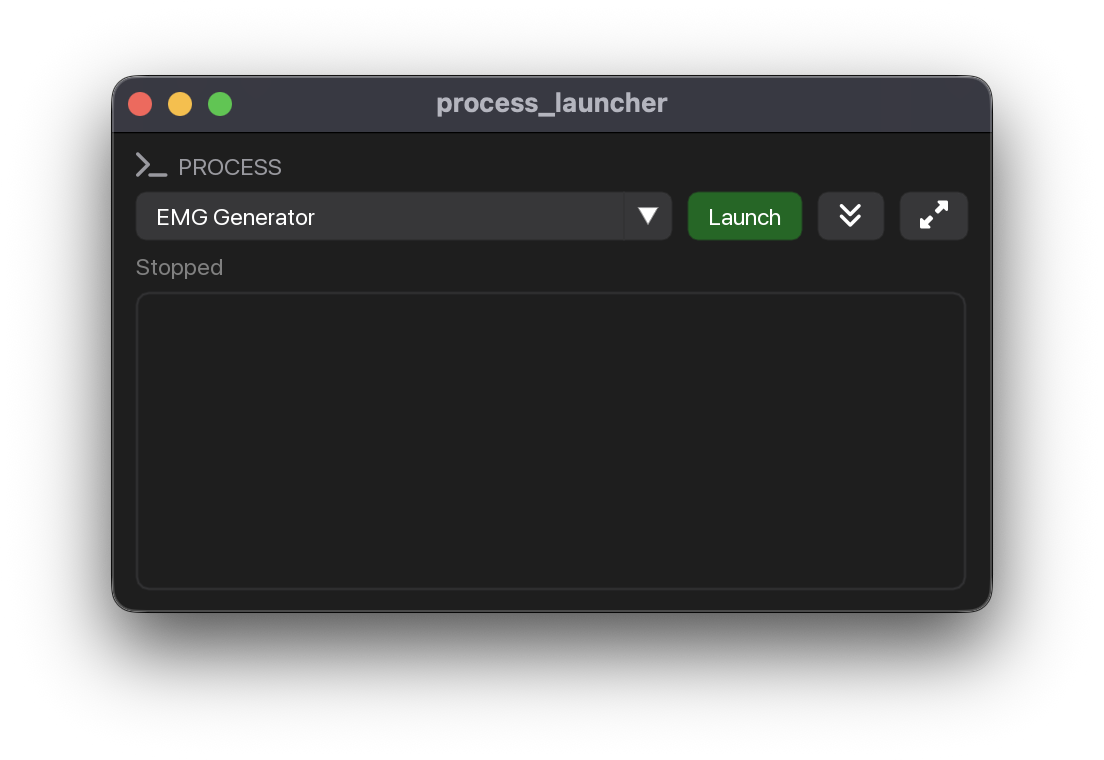
Dropdown + Launch/Stop + scrollable log panel.
Construct once with the process list, then call ui each frame.
Multiple launchers can coexist — each gets unique ImGui IDs via
widget_id (auto-generated from the process names when empty). The
live subprocess registry is app-global, so processes are still killed on
exit (atexit + App.run cleanup) regardless of instance lifetime.
Parameters:
| Name | Type | Description | Default |
|---|---|---|---|
processes
|
list[Process]
|
The launchable processes, as |
required |
widget_id
|
str
|
ImGui id scope for this launcher. Auto-generated from the process names when empty; set it explicitly if two launchers offer the same names. |
''
|
log_height
|
float
|
Height in pixels of an optional inline log. |
0.0
|
Examples:
>>> import sys
>>> from myogestic.widgets import ProcessLauncher
>>> launcher = ProcessLauncher([("Worker", [sys.executable, "worker.py"])])
>>> launcher.ui()
Whether the process called name is alive because this panel started it.
For an app that has something to do once a target is up — bind a control map to a target it just launched, enable a control that needs it — rather than asking the operator to press a second button confirming the press they already made.
Says nothing about a process started outside the app: the registry only holds what
this panel launched, so a target that was already running reads False. Treat it
as "I started this", not as "this is reachable"; the target's own handshake is what
answers reachability.
Parameters:
| Name | Type | Description | Default |
|---|---|---|---|
name
|
str
|
The process name, as given in the |
required |
Plotting
Scatter2D(label: str, *, size: tuple[float, float] = (-1, 300), marker_size: float = 3.0, widget_id: str | None = None)
2D scatter plot with per-class coloring.
Parameters:
| Name | Type | Description | Default |
|---|---|---|---|
label
|
str
|
Plot label shown above the scatter. |
required |
size
|
tuple[float, float]
|
Plot size in pixels, by default |
(-1, 300)
|
marker_size
|
float
|
Marker radius in pixels, by default |
3.0
|
widget_id
|
str | None
|
Explicit ImGui id scope. Defaults to |
None
|
Examples:
>>> import numpy as np
>>> from myogestic.widgets import Scatter2D
>>> scatter = Scatter2D("Embedding")
>>> scatter.ui(np.array([[0.0, 0.0], [1.0, 1.0]]))
Render the 2D scatter for the given frame.
Parameters:
| Name | Type | Description | Default |
|---|---|---|---|
points
|
ndarray
|
Point coordinates of shape |
required |
labels
|
ndarray | None
|
Per-point integer class labels for coloring. If omitted, all points share a single series. |
None
|
class_names
|
list[str] | None
|
Legend names indexed by class label. Falls back to the label value. |
None
|
Scatter3D(label: str, *, size: tuple[float, float] = (-1, 400), axis_names: tuple[str, str, str] = ('X', 'Y', 'Z'), widget_id: str | None = None)
3D scatter plot with orbit camera.
Parameters:
| Name | Type | Description | Default |
|---|---|---|---|
label
|
str
|
Plot label shown above the scatter. |
required |
size
|
tuple[float, float]
|
Plot size in pixels, by default |
(-1, 400)
|
axis_names
|
tuple[str, str, str]
|
Names for the X, Y and Z axes, by default |
('X', 'Y', 'Z')
|
widget_id
|
str | None
|
Explicit ImGui id scope. Defaults to |
None
|
Examples:
>>> import numpy as np
>>> from myogestic.widgets import Scatter3D
>>> scatter = Scatter3D("Embedding")
>>> scatter.ui(np.array([[0.0, 0.0, 0.0], [1.0, 1.0, 1.0]]))
Render the 3D scatter for the given frame.
Parameters:
| Name | Type | Description | Default |
|---|---|---|---|
points
|
ndarray
|
Point coordinates of shape |
required |
labels
|
ndarray | None
|
Per-point integer class labels for coloring. If omitted, all points share a single series. |
None
|
class_names
|
list[str] | None
|
Legend names indexed by class label. Falls back to the label value. |
None
|
Heatmap(label: str, *, size: tuple[float, float] = (-1, 300), label_fmt: str = '%.1f', colormap: int | None = None, widget_id: str | None = None)
2D heatmap widget.
Parameters:
| Name | Type | Description | Default |
|---|---|---|---|
label
|
str
|
Plot label shown above the heatmap. |
required |
size
|
tuple[float, float]
|
Plot size in pixels, by default |
(-1, 300)
|
label_fmt
|
str
|
Printf-style format for the per-cell value labels, by default |
'%.1f'
|
colormap
|
int | None
|
An |
None
|
widget_id
|
str | None
|
Explicit ImGui id scope. Defaults to |
None
|
Examples:
>>> import numpy as np
>>> from myogestic.widgets import Heatmap
>>> heatmap = Heatmap("Confusion", label_fmt="%.2f")
>>> heatmap.ui(np.array([[0.9, 0.1], [0.2, 0.8]]))
ui(data: ndarray, x_tick_labels: list[str] | None = None, y_tick_labels: list[str] | None = None, vrange: tuple[float, float] | None = None) -> None
Render the heatmap for the given frame.
Parameters:
| Name | Type | Description | Default |
|---|---|---|---|
data
|
ndarray
|
2D array of values to render, row-major (row 0 is drawn at the top). |
required |
x_tick_labels
|
list[str]
|
Per-column / per-row axis labels (e.g. class names for a confusion matrix). When omitted, columns/rows are labelled by index. Extra labels beyond the grid size are ignored. |
None
|
y_tick_labels
|
list[str]
|
Per-column / per-row axis labels (e.g. class names for a confusion matrix). When omitted, columns/rows are labelled by index. Extra labels beyond the grid size are ignored. |
None
|
vrange
|
tuple[float, float]
|
Explicit |
None
|
Multi-channel line plot widget.
Parameters:
| Name | Type | Description | Default |
|---|---|---|---|
label
|
str
|
Plot label shown above the lines. |
required |
size
|
tuple[float, float]
|
Plot size in pixels, by default |
(-1, 200)
|
widget_id
|
str | None
|
Explicit ImGui id scope. Defaults to |
None
|
Examples:
>>> import numpy as np
>>> from myogestic.widgets import LinePlot
>>> plot = LinePlot("Channels")
>>> plot.ui(np.array([[0.0, 1.0], [1.0, 0.0]]))
Output processing
Bases: FilterProcessor
Preset FilterProcessor for post-prediction output smoothing.
The three built-in filters, a "POST-PROCESSING" header, and
one_euro selected by default. For a custom palette, use
FilterProcessor directly.
Parameters:
| Name | Type | Description | Default |
|---|---|---|---|
hz
|
float
|
Sample rate forwarded to filters that need it (e.g. |
50.0
|
widget_id
|
str
|
ImGui id scope — give each instance a unique value if you render more than one. |
'output_filter'
|
Examples:
>>> from myogestic.widgets import PostProcessor
>>> processor = PostProcessor(hz=20.0)
>>> processor.ui()
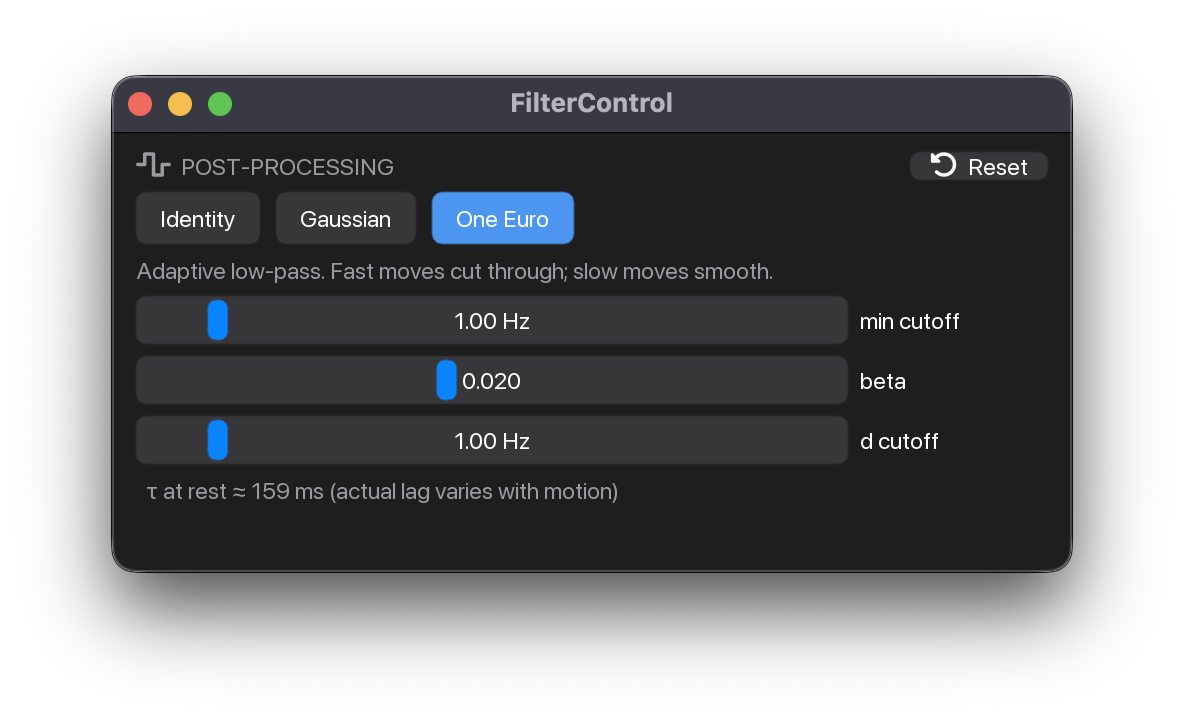
FilterProcessor(filters: Sequence[FilterSpec] = BUILTIN_FILTERS, *, hz: float = 50.0, default: str | None = None, title: str = 'FILTER', widget_id: str = 'filter')
Pick-one-and-tune filter widget over an extensible palette.
Construct once with the filters it offers, call it on a vector inside
@pipeline.predict, and render it each frame with ui. The
active filter is applied by __call__; parameter values are cached
per filter across selection changes (switching away and back builds a
fresh filter — no stale history).
Parameters:
| Name | Type | Description | Default |
|---|---|---|---|
filters
|
Sequence[FilterSpec]
|
Ordered palette of |
BUILTIN_FILTERS
|
hz
|
float
|
Sample rate forwarded to filters that need it (e.g. one_euro). |
50.0
|
default
|
str | None
|
|
None
|
title
|
str
|
Panel header text. |
'FILTER'
|
widget_id
|
str
|
ImGui id scope — give each instance a unique value if you render more than one. |
'filter'
|
Examples:
>>> from myogestic.widgets import FilterProcessor
>>> processor = FilterProcessor(default="identity")
>>> processor.ui()
Methods:
| Name | Description |
|---|---|
reset |
Clear the active filter's smoothing history. |
ui |
Render the full panel. Call once per frame inside |
Attributes:
| Name | Type | Description |
|---|---|---|
name |
str
|
|
filter |
VectorFilter
|
The live filter instance. |
property

filter: VectorFilter
The live filter instance.
Read-only handle for inspection; mutating or calling it directly bypasses the processor's lock and parameter tracking.
dataclass

FilterSpec(key: str, name: str, build: Callable[..., VectorFilter], params: tuple[FilterParam, ...] = (), description: str = '', reconfigure: Callable[..., VectorFilter] | None = None, delay: Callable[[float, Mapping[str, Any]], float] | None = None)
One selectable filter in a FilterProcessor palette.
Parameters:
| Name | Type | Description | Default |
|---|---|---|---|
key
|
str
|
Stable identifier (e.g. |
required |
name
|
str
|
Button label shown in the panel (e.g. |
required |
build
|
Callable[..., VectorFilter]
|
Factory |
required |
params
|
tuple[FilterParam, ...]
|
Tunable sliders. Empty for a fixed filter (e.g. identity). |
()
|
description
|
str
|
One-line blurb shown under the buttons. |
''
|
reconfigure
|
Callable[..., VectorFilter] | None
|
Optional in-place update |
None
|
delay
|
Callable[[float, Mapping[str, Any]], float] | None
|
Optional |
None
|
Examples:
>>> from myogestic.outputs.filters import IdentityFilter
>>> from myogestic.widgets import FilterSpec
>>> spec = FilterSpec(key="identity", name="Identity", build=lambda **_: IdentityFilter())
dataclass

FilterParam(key: str, label: str, min: float, max: float, default: float, kind: Literal['int', 'float'] = 'float', fmt: str = '', log: bool = False)
One tunable slider for a FilterSpec.
Parameters:
| Name | Type | Description | Default |
|---|---|---|---|
key
|
str
|
Keyword name passed to the spec's |
required |
label
|
str
|
Slider label shown in the panel. |
required |
min
|
float
|
Slider bounds and initial value. |
required |
max
|
float
|
Slider bounds and initial value. |
required |
default
|
float
|
Slider bounds and initial value. |
required |
kind
|
Literal['int', 'float']
|
|
'float'
|
fmt
|
str
|
ImGui display format; a sensible default is used per |
''
|
log
|
bool
|
Logarithmic slider (float only) — handy for wide ranges like |
False
|
Examples:
>>> from myogestic.widgets import FilterParam
>>> parameter = FilterParam("sigma", "sigma", 0.1, 10.0, 1.0)
Feature selection
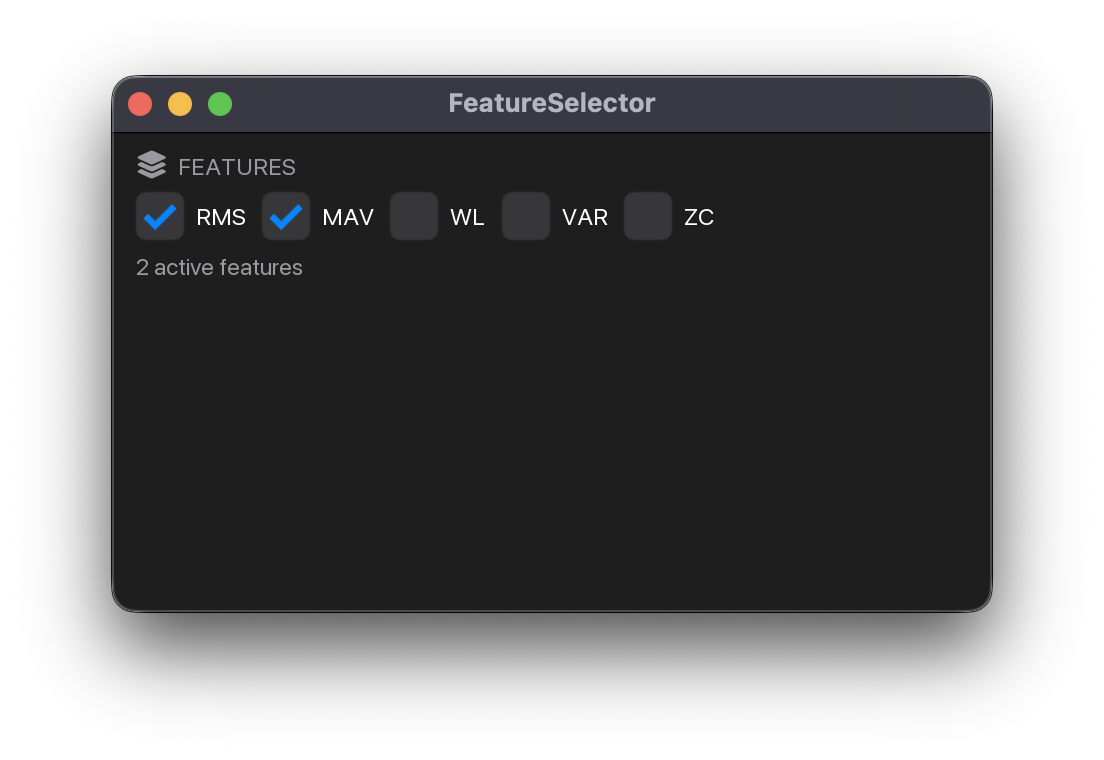
FeatureSelector(features: dict[str, FeatureFn], default: Iterable[str] | None = None, *, widget_id: str = 'features')
Tickable list of named feature functions.
Parameters:
| Name | Type | Description | Default |
|---|---|---|---|
features
|
dict[str, FeatureFn]
|
Ordered map of feature name → callable. Each callable
takes an EMG window |
required |
default
|
Iterable[str] | None
|
Optional iterable of feature names to start ticked.
|
None
|
Raises:
| Type | Description |
|---|---|
ValueError
|
if a name in |
Examples:
>>> from myogestic.recipes.features import rms
>>> from myogestic.widgets import FeatureSelector
>>> selector = FeatureSelector({"RMS": rms}, default=["RMS"])
>>> selector.ui()
property

Feature names currently ticked, in registration order.
Programmatically tick / untick a feature.
Useful for restoring saved selections from a checkpoint, or for scripted training runs that bypass the UI.
Render the panel inside an ImGui frame.
Call from inside @app.ui. The header carries the active count
(FEATURES (2)) and the feature checkboxes reflow into a
content-sized table so columns stay aligned: each column is as wide
as its own widest box + label, so a label never clips under the
next column's checkbox. State updates take effect on the next
predict-thread tick.
Training and inspection
TemplateInspector(widget_id: str, *, title: str = 'Templates', height: float = 240.0, label_colors: dict[str, tuple[float, float, float, float]] | None = None)
Accept/reject + click-to-select table of template rows.
Construct once with a stable widget_id (+ optional title / height /
label colors), then call ui each frame with the current rows.
ui() returns the selected row's key (or None).
Parameters:
| Name | Type | Description | Default |
|---|---|---|---|
widget_id
|
str
|
Stable identity string. Two inspectors with the same widget_id share selection state; different widget_ids are independent. |
required |
title
|
str
|
Header text shown above the table. |
'Templates'
|
height
|
float
|
Table height in pixels. |
240.0
|
label_colors
|
dict[str, tuple[float, float, float, float]] | None
|
Optional |
None
|
Examples:
>>> from myogestic.widgets import TemplateInspector, TemplateInspectorRow
>>> rows = [TemplateInspectorRow("session#0", "Fist")]
>>> inspector = TemplateInspector("templates")
>>> selected = inspector.ui(rows)
ui(rows: list[TemplateInspectorRow]) -> str | None
Render the table for rows; return the selected row's key.
rows is mutated in place (only accepted is touched). Returns
None when no row is selected or the selection was removed.
dataclass

TemplateInspectorRow(key: str, label: str, accepted: bool = True, info_text: str | None = None, energy: float | None = None)
One row in the inspector table.
Parameters:
| Name | Type | Description | Default |
|---|---|---|---|
key
|
str
|
Stable identity (e.g. |
required |
label
|
str
|
Short class/category badge (e.g. |
required |
accepted
|
bool
|
Mutable. True = include in training. Toggled in place by the checkbox. |
True
|
info_text
|
str | None
|
Optional secondary text shown in the table (e.g.
session name, source path). May be |
None
|
energy
|
float | None
|
Optional scalar shown as a normalised progress bar in
the energy column. Caller's choice of metric — RMS energy,
peak amplitude, anything monotonic. |
None
|
Examples:
>>> from myogestic.widgets import TemplateInspectorRow
>>> row = TemplateInspectorRow("session#0", "Fist", accepted=True, energy=0.8)
TrialPreview(*, widget_id: str, data_layout: Literal['channels_first', 'samples_first'] = 'channels_first', title: str | None = None, size: tuple[float, float] = (-1.0, 240.0), channel_names: list[str] | None = None, band: tuple[float, float] | None = None, band_color: tuple[float, float, float, float] | None = None, gain: float = 1.0, display_filter: Literal['none', 'rectify', 'dc_removal', 'rms_env'] = 'none', scale_mode: Literal['auto', 'manual'] = 'auto', y_range: tuple[float, float] = (-1.0, 1.0), as_window: bool = False)
Render stacked multi-channel waveform with optional band overlay.
Examples:
>>> import numpy as np
>>> from myogestic.widgets import TrialPreview
>>> preview = TrialPreview(widget_id="trial")
>>> preview.ui(np.zeros((8, 400), dtype=np.float32), fs=2000.0)
Configure the trial-preview widget.
Parameters:
| Name | Type | Description | Default |
|---|---|---|---|
widget_id
|
str
|
Stable identity string for ImPlot (combined into plot ids so
two |
required |
data_layout
|
Literal['channels_first', 'samples_first']
|
|
'channels_first'
|
title
|
str | None
|
Optional header line shown above the plot. |
None
|
size
|
tuple[float, float]
|
ImPlot size as |
(-1.0, 240.0)
|
channel_names
|
list[str] | None
|
Optional per-channel labels. When omitted, channels
are shown as |
None
|
band
|
tuple[float, float] | None
|
Optional |
None
|
band_color
|
tuple[float, float, float, float] | None
|
RGBA in |
None
|
gain
|
float
|
Multiplier applied to each channel before plotting. Match this to your live viewer's gain knob if you want the preview to look like what was on screen. |
1.0
|
display_filter
|
Literal['none', 'rectify', 'dc_removal', 'rms_env']
|
Visual-only transform applied to a copy of
|
'none'
|
scale_mode
|
Literal['auto', 'manual']
|
|
'auto'
|
y_range
|
tuple[float, float]
|
|
(-1.0, 1.0)
|
as_window
|
bool
|
When |
False
|
Render stacked multi-channel waveform with optional band overlay.
Parameters:
| Name | Type | Description | Default |
|---|---|---|---|
data
|
ndarray
|
Multi-channel signal. Shape |
required |
fs
|
float
|
Sampling rate in Hz, used for the x-axis labels in seconds. |
required |
Layout helpers
panel_header(title: str, icon: str | None = None, *, reserve: float = 0.0, status: ImVec4 | None = None) -> None
Render a uniform panel-header line: muted, all-caps, optional FA icon.
Pairs with the button + slider styling used by the other widgets in this package. Use it at the top of any custom panel to match the look::
panel_header("MODEL", icons_fontawesome_6.ICON_FA_BRAIN)
train_button(pipeline)
...
When the panel is too narrow for the full title, the title is truncated
with a … ellipsis; when there is no room for any label, only the icon
is shown. Pass reserve to leave that many pixels for controls placed
after the header on the same row (e.g. a right-aligned button), so the
title collapses instead of pushing those controls off the panel.
Pass status — one of SUCCESS, IDLE, DANGER, WARNING — to put a filled
circle in that colour at the right end of the header row. Right-aligned so the
titles of stacked panels line up on their first glyph: a dot before the title would
indent the ones that have state and leave the ones that don't hanging. Colour is the
only thing the dot carries, so it must not be the only place the state is
available: give the header a tooltip with the detail (a PID, an exit code) for
anyone who cannot read the hue.
It sits inside reserve, so a right-aligned control placed after the header —
panel_header_button does this — still gets its space, with the dot to its left.
Examples:
popout_panel(title: str, gui_fn: Callable[[], None], *, default_open: bool = True, can_be_closed: bool = True, remember_is_visible: bool | None = None) -> None
Render gui_fn inside a dockable, tearable ImGui window.
Parameters:
| Name | Type | Description | Default |
|---|---|---|---|
title
|
str
|
Window title — also used as the ImGui id and as the dedup key for repeated calls. |
required |
gui_fn
|
Callable[[], None]
|
Zero-arg callable invoked by ImGui every frame. Treat it
like the body of a |
required |
default_open
|
bool
|
Initial visibility of the window on first launch.
Subsequent launches restore from |
True
|
can_be_closed
|
bool
|
Whether the user can close the window with the X button. Closed windows reappear via the "View" menu. |
True
|
remember_is_visible
|
bool | None
|
Whether visibility is persisted in the imgui ini file. Defaults to True for existing behavior. |
None
|
Notes
When App(docking=True) is not active, this just runs gui_fn()
inline so the call site stays the same.
Examples:
Status and logs
Per-stream status panel — one row per stream with status + reconnect.
Construct once (optionally toggling selectable / show_header),
then call ui with the live ctx each frame.
Parameters:
| Name | Type | Description | Default |
|---|---|---|---|
selectable
|
bool
|
When True and the stream's source supports |
True
|
show_header
|
bool
|
Render a uniform |
True
|
Examples:
LogPanel(*, height: float = -1.0, title: str = 'Log', show_header: bool = True, widget_id: str | None = None)
Render the app log as a scrollable, read-only panel.
Examples:
Configure the log panel.
Parameters:
| Name | Type | Description | Default |
|---|---|---|---|
height
|
float
|
Panel height in pixels. Pass a value |
-1.0
|
title
|
str
|
Header label (only shown when |
'Log'
|
show_header
|
bool
|
Render the button-style |
True
|
widget_id
|
str | None
|
Optional per-instance ImGui id scope. Defaults to |
None
|
Branding
Image(asset: str, *, max_size: float | None = None, padding: float = 12.0, missing_label: str | None = None, widget_id: str | None = None)
Generic fit-to-cell image widget.
Reads the available content area inside the current panel and renders
the image as the largest aspect-preserving rectangle that fits both
dimensions (minus padding), then centres it. In a cell whose
aspect matches the image, it fills edge-to-edge minus the padding
margin; in a different aspect, it fills the tighter dimension and leaves
balanced padding along the other.
Notes
Uses image_and_size_from_asset + raw imgui.image rather than the
higher-level image_from_asset(..., size=...) helper, which in this
version of hello_imgui ignored the explicit size and rendered at the
natural pixel dimensions of the image.
Examples:
>>> from myogestic.widgets import Image
>>> image = Image("app_settings/icon.png", max_size=256)
>>> image.ui()
Configure the image widget.
Parameters:
| Name | Type | Description | Default |
|---|---|---|---|
asset
|
str
|
Path to the image, relative to MyoGestic's registered assets folder (resolved via HelloImGui's asset system). |
required |
max_size
|
float | None
|
Optional cap on the rendered width in pixels. |
None
|
padding
|
float
|
Margin in pixels reserved on every side. Default 12 px. |
12.0
|
missing_label
|
str | None
|
Text shown (muted) when the asset can't be found. Defaults to
|
None
|
widget_id
|
str | None
|
Optional per-instance ImGui id scope. Defaults to |
None
|
Render the MyoGestic wordmark, fit-to-cell, aspect-preserving.
Thin wrapper over Image pinned to the shipped
wordmark. See that widget for the fit/centre behaviour.
Examples:
Configure the wordmark widget.
Parameters:
| Name | Type | Description | Default |
|---|---|---|---|
max_size
|
float | None
|
Optional cap on the wordmark's width in pixels. |
None
|
padding
|
float
|
Margin in pixels reserved on every side. Default 12 px gives the wordmark breathing room against the panel border. |
12.0
|
widget_id
|
str | None
|
Optional per-instance ImGui id scope. |
None
|
ML readout
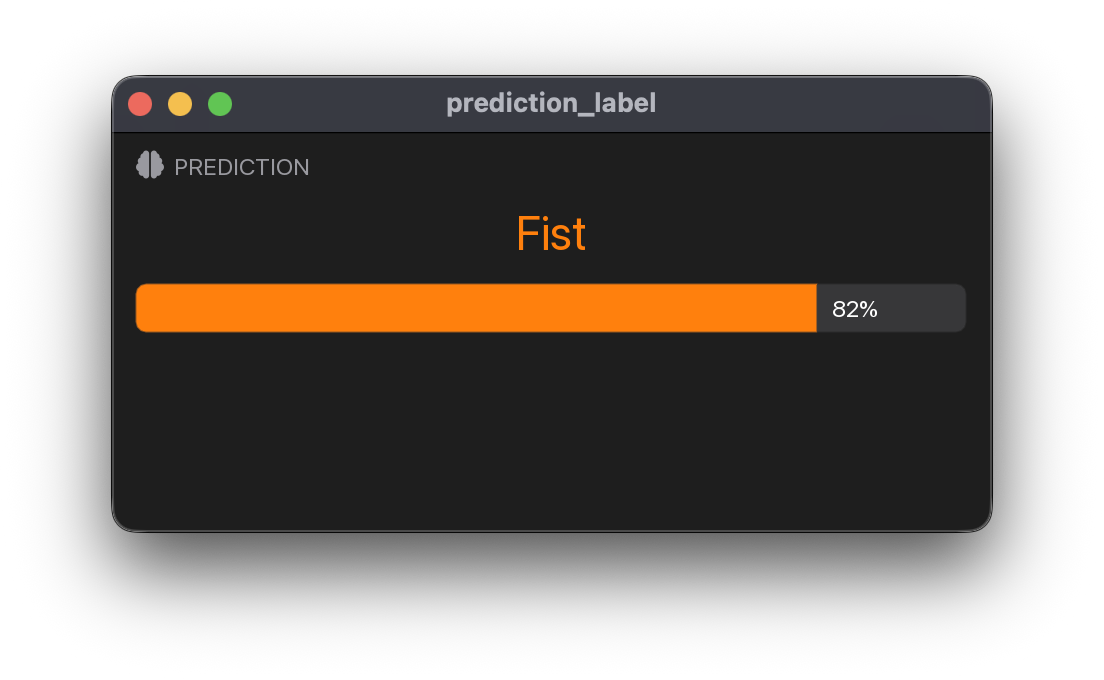
PredictionLabel(pipeline: Pipeline, class_names: Sequence[str], *, class_key: str = 'class', probability_key: str = 'proba', title: str = 'Prediction', show_probability: bool = False, font_scale: float = 2.0, widget_id: str | None = None)
Render the current predicted class name as a big centred label.
The class index is looked up in pipeline.predictions[class_key] and the
name is taken from class_names. Colour-coded from the shared PALETTE,
so a class keeps the same colour as its recording / session-manager chips.
Examples:
>>> from myogestic.widgets import PredictionLabel
>>> label = PredictionLabel(pipeline, ["Rest", "Fist"])
>>> label.ui()
Configure the prediction label.
Parameters:
| Name | Type | Description | Default |
|---|---|---|---|
pipeline
|
Pipeline
|
The Pipeline whose predictions to read. Untrained or
first-frame state ( |
required |
class_names
|
Sequence[str]
|
Class names indexed the same way as the model —
|
required |
class_key
|
str
|
Dict key in |
'class'
|
probability_key
|
str
|
Dict key holding the per-class probability vector,
consumed only when |
'proba'
|
title
|
str
|
Panel header text. |
'Prediction'
|
show_probability
|
bool
|
When True, render a coloured progress bar of the predicted class's probability below the name. |
False
|
font_scale
|
float
|
Multiplier applied to the class name's text size. Defaults to 2× the panel font. |
2.0
|
widget_id
|
str | None
|
Optional per-instance ImGui id scope. Defaults to |
None
|
Virtual Hand integration
VhiMovementPanel(client: RecordingClient, on_movement: Callable[[str], None], *, min_interval_s: float = 1.0, title: str = 'VHI Control Hand')
Stateful widget — instantiate once at module level, call .ui() per frame.
Parameters:
| Name | Type | Description | Default |
|---|---|---|---|
client
|
RecordingClient
|
The |
required |
on_movement
|
Callable[[str], None]
|
Click handler for a movement button — required. Wire it to a
discrete DOF, e.g. |
required |
min_interval_s
|
float
|
Minimum seconds between background state refreshes. Default 1 s. |
1.0
|
title
|
str
|
Panel header text rendered above the button grid. |
'VHI Control Hand'
|
Examples:
>>> from myogestic.widgets import VhiMovementPanel
>>> panel = VhiMovementPanel(
...     vhi.recording_client(),
...     lambda state: bus.select("gesture", state),
... )
>>> panel.ui()
ui(*, auto_refresh: bool = True) -> None
Render the panel — call once per frame inside @app.ui.
Set auto_refresh=False in latency-sensitive phases such as live
prediction. The last cached state remains visible and the panel's explicit
Refresh button still starts one background request, but no periodic gRPC
work is scheduled from the frame loop.
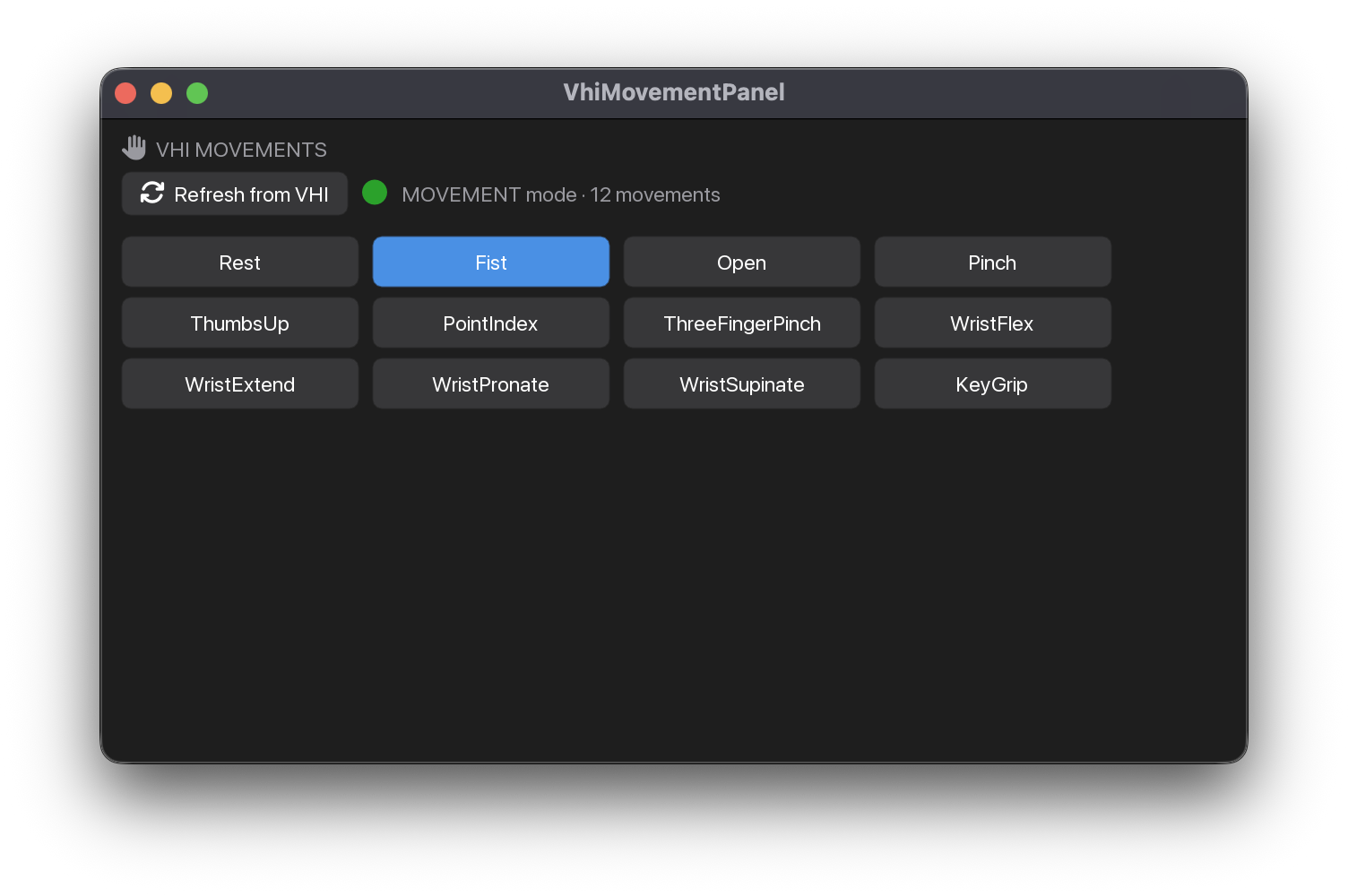
Lower-level pieces
VhiMovementPanel wraps these for the common case. Reach for them directly when you want to share one state cache across multiple panels, or render the palette without owning a client.
vhi_movement_palette(movements: Sequence[str], *, on_movement: Callable[[str], None], on_refresh: Callable[[], None] | None = None, current_movement: str = '', connected: bool = False, status: str = '', title: str = 'VHI Movements') -> None
Render VHI's movement names as a grid of command buttons.
Pure ImGui: performs no RPC and owns no client. movements is the cached
list from the last successful GetState; on_movement(name) fires on
click (wire it to a discrete DOF, e.g. bus.select("gesture", name)). If
on_refresh is
given, a refresh button is drawn. Movement buttons are disabled while
connected is False, but a stale list stays visible.
The grid uses as many columns as fit the panel width, so it reflows when
the panel is resized; the button matching current_movement is highlighted.
Examples:
dataclass

VhiStateCache(movements: list[str] = list(), current_movement: str = '', current_state: str = '', mode: str = '', trajectory_running: bool = False, trajectory_movement: str = '', connected: bool = False, refreshing: bool = False, message: str = 'Launch VHI, then refresh.', last_attempt_s: float = 0.0, lock: Lock = Lock())
Last-known VHI state, refreshed off-thread. Use snapshot() to read.
Examples:
>>> from myogestic.widgets import VhiStateCache
>>> state = VhiStateCache()
>>> snapshot = state.snapshot()
snapshot() -> VhiStateSnapshot
Return a consistent, immutable view — safe to read all frame.
dataclass

request_vhi_state_refresh(client: RecordingClient, cache: VhiStateCache, *, force: bool = False, min_interval_s: float = 1.0, disconnected_interval_s: float = 5.0, probe_timeout_s: float = 0.5) -> None
Start at most one throttled background GetRecordingSessionState refresh.
Safe to call every frame from @app.ui: it returns immediately unless a
refresh is due and none is already in flight. The blocking state()
runs on a daemon thread; the result lands in cache under its lock.
While VHI is unreachable the poll backs off to disconnected_interval_s
and (historically) used a short probe_timeout_s deadline — so a down server is probed
only occasionally with a fast-failing call, never a 2 s blocking RPC that is
~always in flight. (A continuously in-flight failing call keeps the
gRPC channel in connect/reconnect churn, which stutters the 60 fps render
loop.) Once connected it polls every min_interval_s again. An explicit
force refresh ignores the interval and uses the client's full deadline
(a cold connect can be slower than probe_timeout_s).
Examples: