Virtual Hand Interface
The Virtual Hand Interface (VHI) is a real-time 3D hand visualiser for HD-sEMG (high-density surface electromyography) experiments, built with Godot 4.6 (.NET) and C# for the N-squared Lab at FAU Erlangen-Nürnberg.
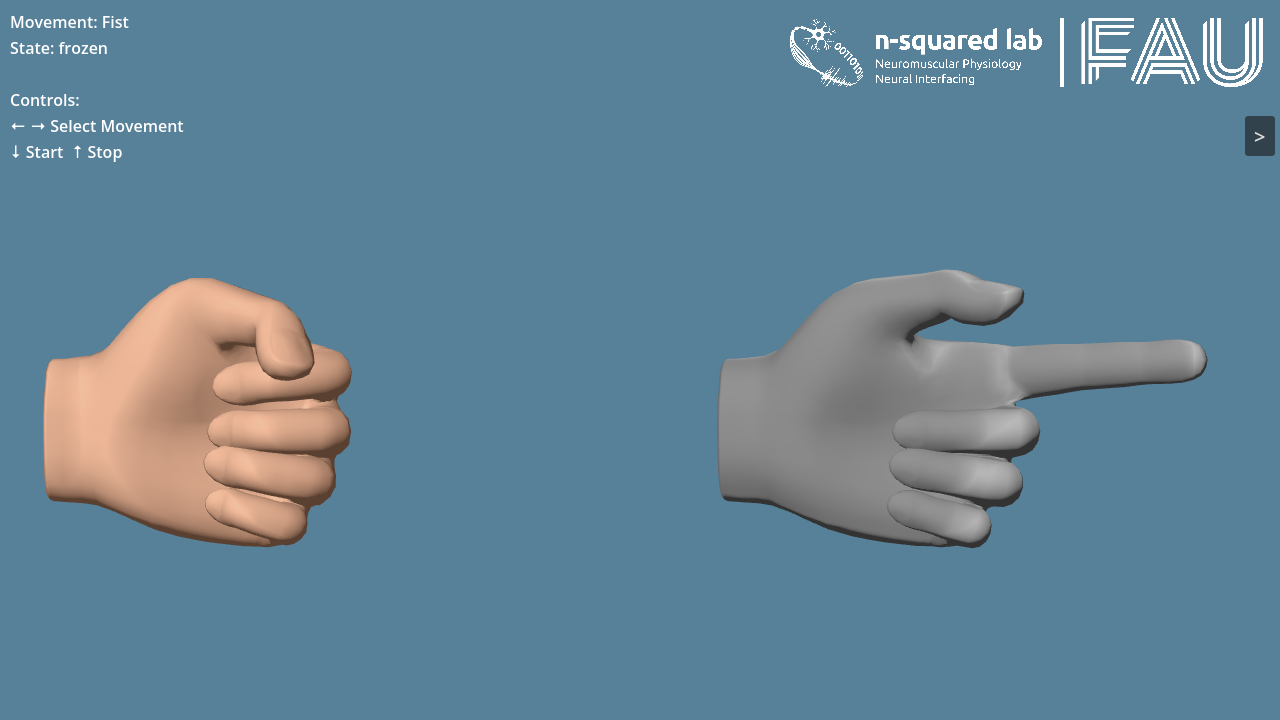
It renders two hands side by side:
- a predicted hand - driven continuously by your model's output, streamed in over Lab Streaming Layer (LSL);
- a control hand - a ground-truth reference that plays predefined movements, or is itself stream-driven, and is commanded over a gRPC control plane.
Together they let an experimenter cue a movement and see what a myocontrol model predicts for it, frame by frame.
How it fits together
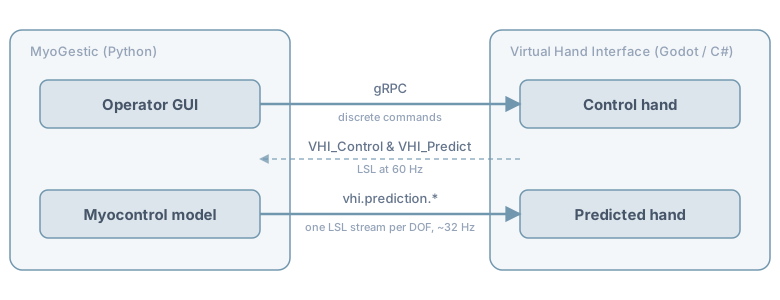
VHI splits its communication by what kind of data it is:
- Continuous time-series (hand poses, predictions) flow over LSL - so they land in the experiment's recording alongside the EMG, on one clock.
- Discrete commands ("play this movement", "freeze", "switch mode") flow over gRPC - typed, acknowledged, with presence signalling.
Every DOF is its own LSL stream, named for its own address and one channel wide, so a producer publishes only what it drives and the rest hold where they are - two producers can even own different DOFs of the same hand.
MyoGestic can also drive the control hand continuously over LSL, via the
optional vhi.control.pose.* streams - useful for streaming custom poses
(data gloves, trajectory generators, …) instead of playing a named movement.
Publishing any one of them is the whole activation: the hand follows while samples keep
arriving and returns to its own movements when they stop - see
What drives the control hand.
See gRPC control plane for the why behind the gRPC / LSL split.
Where to go next
-
Getting Started - install Godot, restore, run, and see a hand move.
-
Concepts - the two hands, the LSL streams, the gRPC control plane, what drives the control hand, and the movement set.
-
How-to guides - drive VHI from MyoGestic, stream a custom pose, add a movement, build & export.
-
Reference - the full gRPC API, every LSL stream, and all configuration knobs.
New here?
Start with Getting Started. If you are integrating VHI from MyoGestic, jump straight to Drive VHI from MyoGestic.